Dev testing 10/9 · commented 9 October 2026 · assigned to Rohit Sekh
Room builder & scheduling — Rohit’s tasks
Everything in the testing doc tagged to Rohit, written as tasks. It follows the Consumables test project past Project Information: the Department / Room Builder, the Scheduling Assistant and Create Schedule. Each comment is pinned to a screenshot, so each group shows the screenshot with its comment under it.
- Tasks
- 6on three screens
- Comments
- 5all by Peter Stahl
- Screenshots
- 5one project, Pete Test 10/9/27
- Open questions
- 2from reading the comments
A one-day, one-site project should schedule itself in as few clicks as possible. Skip the empty Create Schedule step, preselect the only date, and when someone can’t be added, say where they are already booked.
Department / Room Builderre-uploading rooms · T1
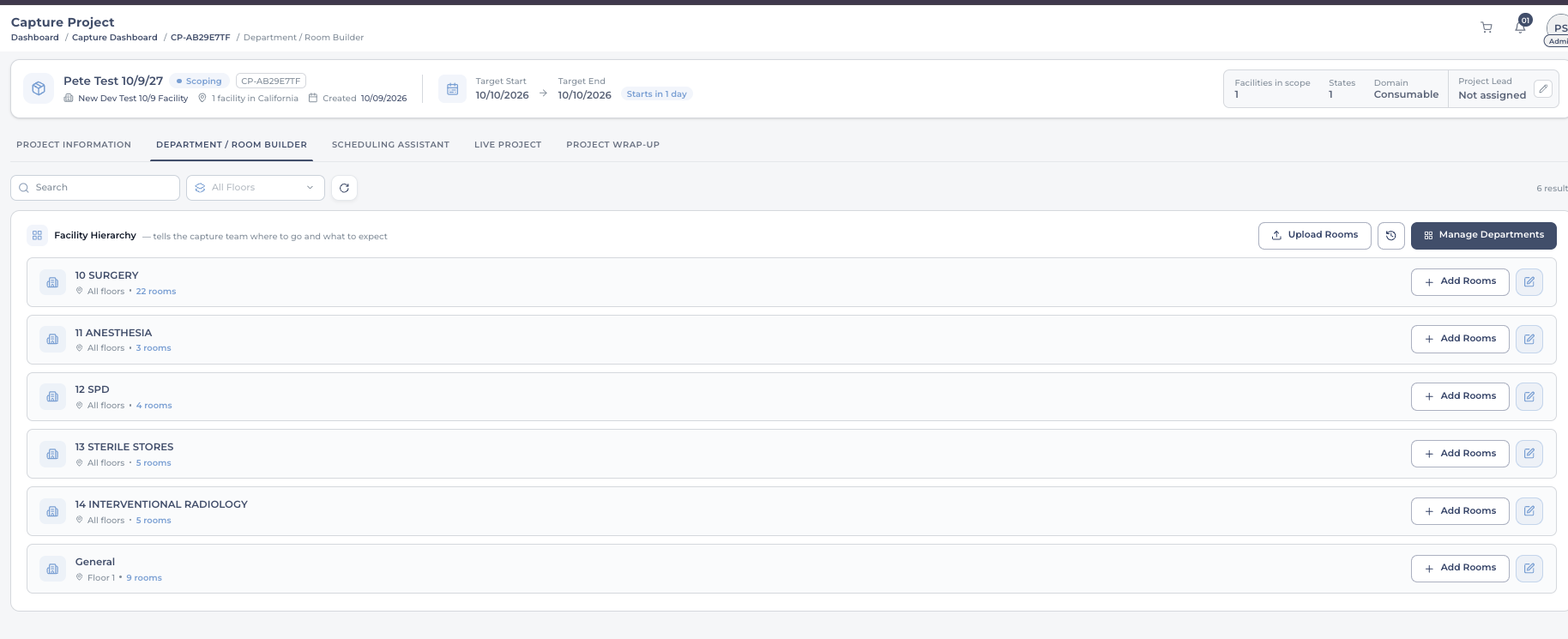
on the screenshot aboveIn this case what happens if I upload a new file with a few more rooms, a totally different file?
Peter Stahl · 9 Oct · C13
- T1Decide and handle what Upload Rooms does with a second file: one that adds a few rooms to the same list, and one that is a completely different file.Peter asks the question but gives no expected behaviour (Q1).answer
Scheduling Assistantskip the empty step · T2
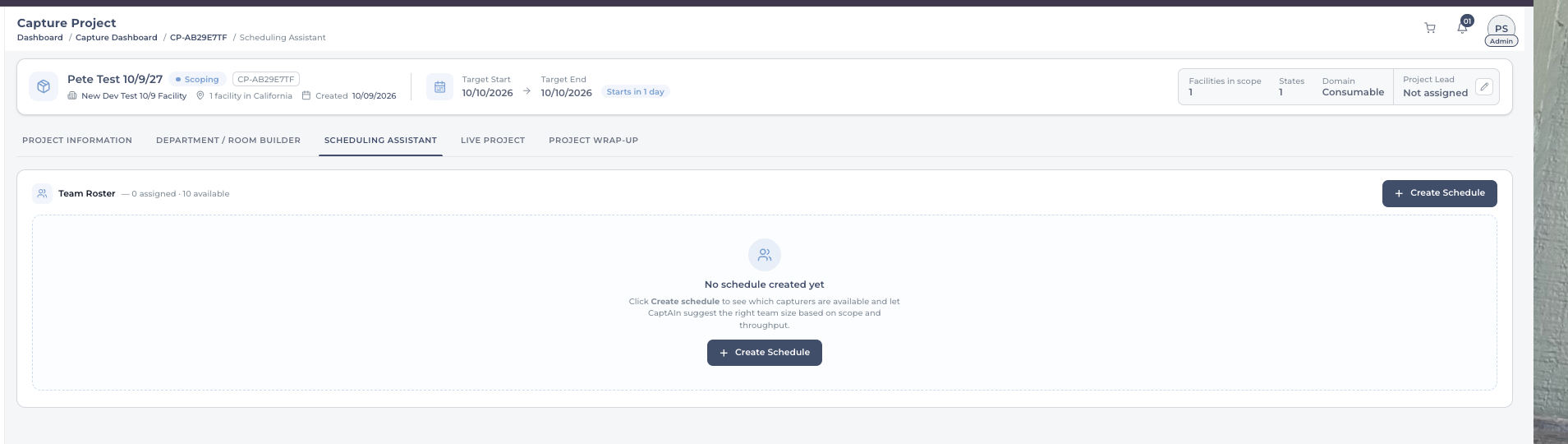
on the screenshot aboveIf its only 1 day project and not multi / multiple sites you should just be able to go to the next screen here without clicking Create schedule?
Peter Stahl · 9 Oct · C14
- T2For a one-day project at a single site, go straight to the schedule screen instead of stopping at “No schedule created yet” and its Create Schedule button.change
Create ScheduleT3–T6
Date rangethe only day should be picked already
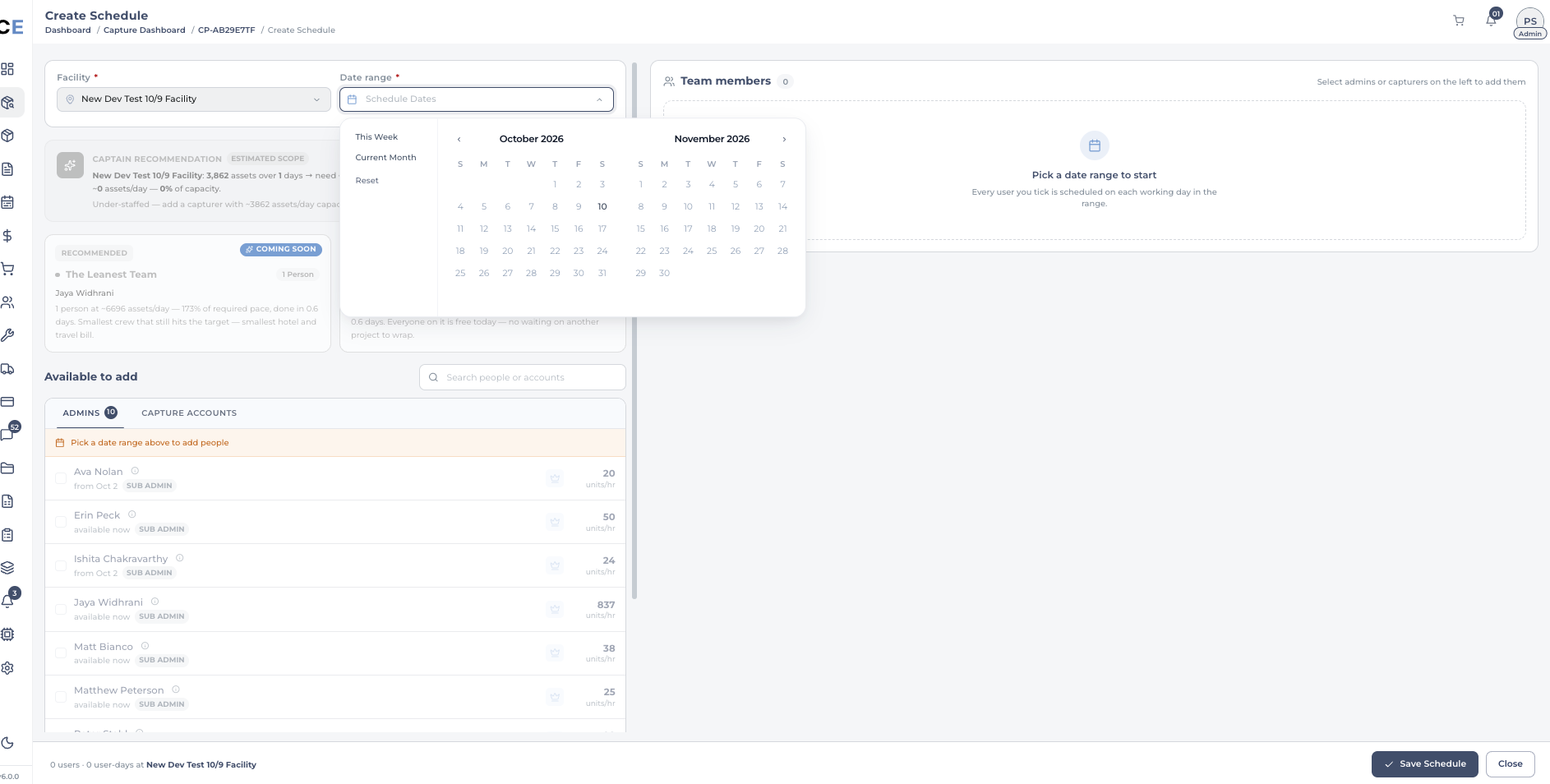
on the screenshot aboveProject is one day long and note if trending and needing an extra day like bristol make sure that doesnt break it - should not have to select this date since its only option should be auto selected
Peter Stahl · 9 Oct · C15
- T3When the project is one day long, preselect that day in the date range. It is the only option.change
- T4If a project runs long and needs an extra day, as Bristol did, check that adding the day doesn’t break the schedule.check
Captain recommendationwhere Jaya’s agent goes
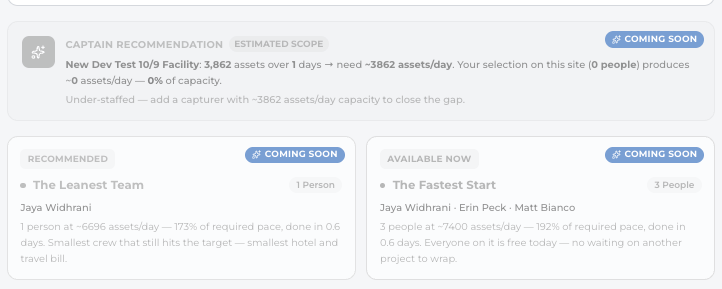
on the screenshot aboveJayas agent will live here
Peter Stahl · 9 Oct · C16
- T5Keep this space for Jaya’s agent: the Captain recommendation and the team suggestions under it (Leanest Team, Fastest Start).A note on where the agent will sit, not a change to make now.note
Available to addsay where people are booked
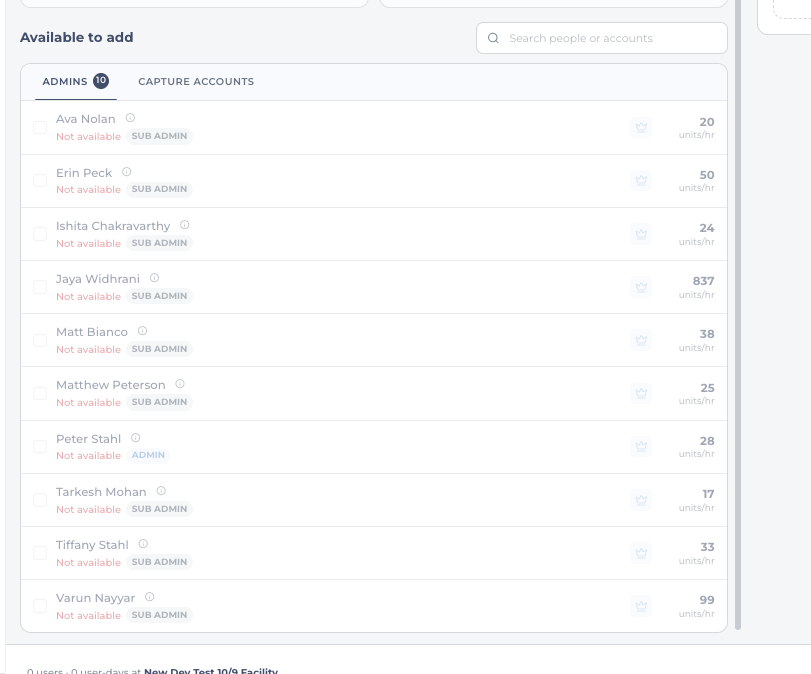
on the screenshot aboveTrying to test no one is available likely BC they are already assigned elsewhere - I think showing that in small text already assigned WHERE during this time be nice for overall oversight.
Peter Stahl · 9 Oct · C17
- T6Under “Not available”, show in small text where the person is already assigned during these dates.Every admin in the list is unavailable. Peter assumes it is because they are booked elsewhere (Q2).add
Questions to settlebefore building
- Q1Re-uploading rooms (T1): should a second file add to the rooms already there, or replace them? What happens to rooms that are already scheduled or captured?
- Q2All ten admins show “Not available” for 10 October. Confirm that is because they are assigned elsewhere, and not a fault in the availability check.