Dev testing 10/9 · commented 9 October 2026 · assigned to Davinder Kumar
Item master & submit — Davinder’s tasks
Everything in the testing doc tagged to Davinder, written as tasks: the item master upload on a Consumables project’s Files step, and the confirmation shown when a project is submitted. The Assets Files step, which the doc also tags to Davinder, now sits with Shoaib.
- Tasks
- 2on two screens
- Comments
- 2all by Peter Stahl
- Screenshots
- 2one blacked out in part
- Open questions
- 1from reading the comments
Consumables · Item masterStart a Project → Files · T1
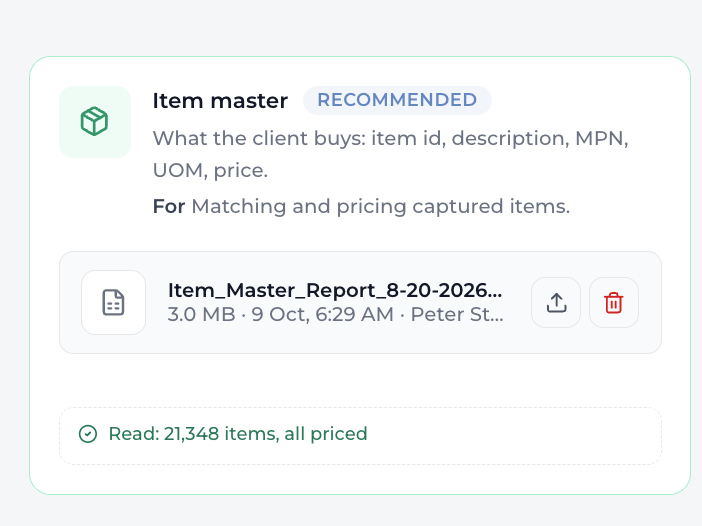
on the screenshot aboveENsure this can read a zipped item master like the PO storage can - I would imagine sometimes they get item masters in zip form bc theyre so big
Peter Stahl · 9 Oct · C0
- T1Accept and read a zipped item master, the way PO history already does.Item masters are large, so clients often send them zipped.change
Assets · Project submittedT2
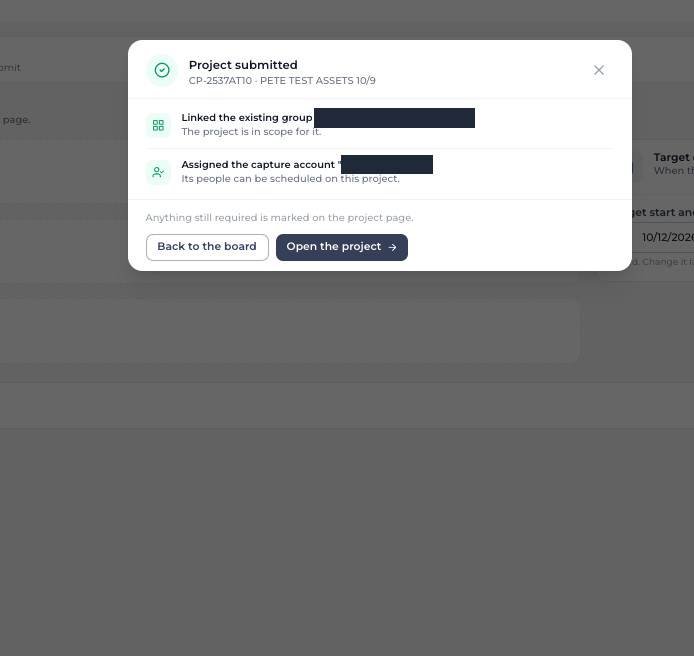
on the screenshot aboveGlitter Pop - remove it - not professional
Peter Stahl · 9 Oct · C20
- T2Remove the “glitter pop”. It isn’t professional.A still screenshot doesn’t show it. This reads as the celebration effect when the modal opens (Q1).remove
Questions to settlebefore building
- Q1“Glitter Pop” (T2): confirm it means the animation on the Project submitted modal.